FeaturedSmarty Ears Online: 90+ activities in your browser, with progress reports for every student. Try it free for 14 days. Learn more →
Above, between, first, most, thick. The BCSS screens 79 basic concepts one picture at a time, reads every request aloud, and writes the report for you as soon as the child finishes.
★★★★★ Rated 5 out of 5 on the App Store · $39.99, one purchase · No ads, no subscription, no account
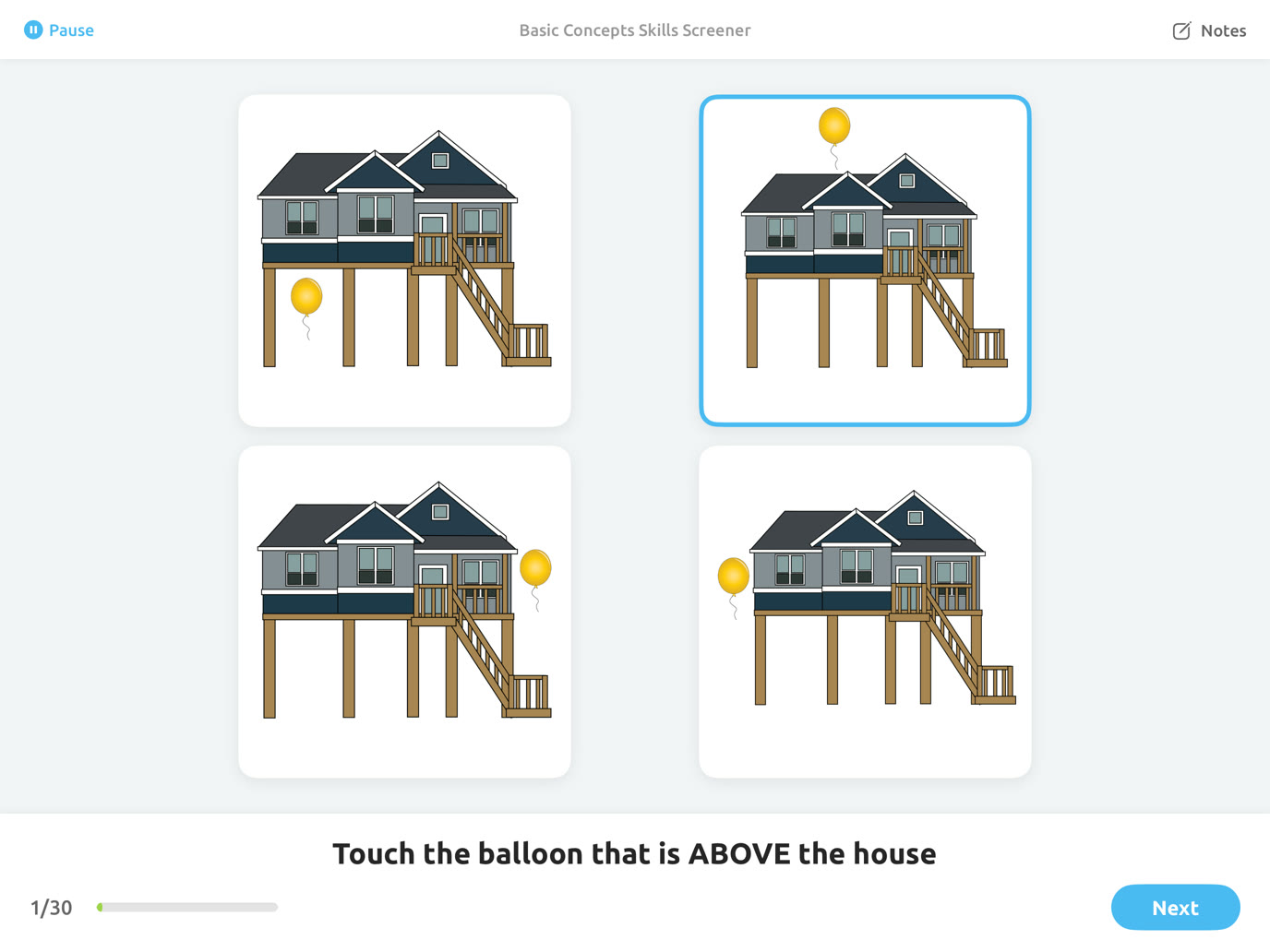
Watch a child answer, see how notes and pauses work, and look through the report BCSS writes at the end.
Classroom directions are full of basic concepts. A child who doesn't know them can look like a child who isn't listening.
Words like between, behind and next tell a child where to go and what to do. Miss one, and the whole direction falls apart.
Concepts like first, last, more, fewest and equal are the language of early reading and math lessons.
Children who start school behind on concepts tend to fall further behind. Finding the gaps early means you can teach them early.
The BCSS tells you exactly which concepts a child understands and which are still developing, so you know what to teach next.
Each concept is tested with one request and four pictures. Here is a sample of the concepts in the Full Screening, straight from the app.
Position and location, for following directions in the classroom and on the playground.
Sequence and time, for routines, stories and multi-step directions.
Amounts and number words, the language of early math.
Size, texture, weight, temperature, sound and feelings.
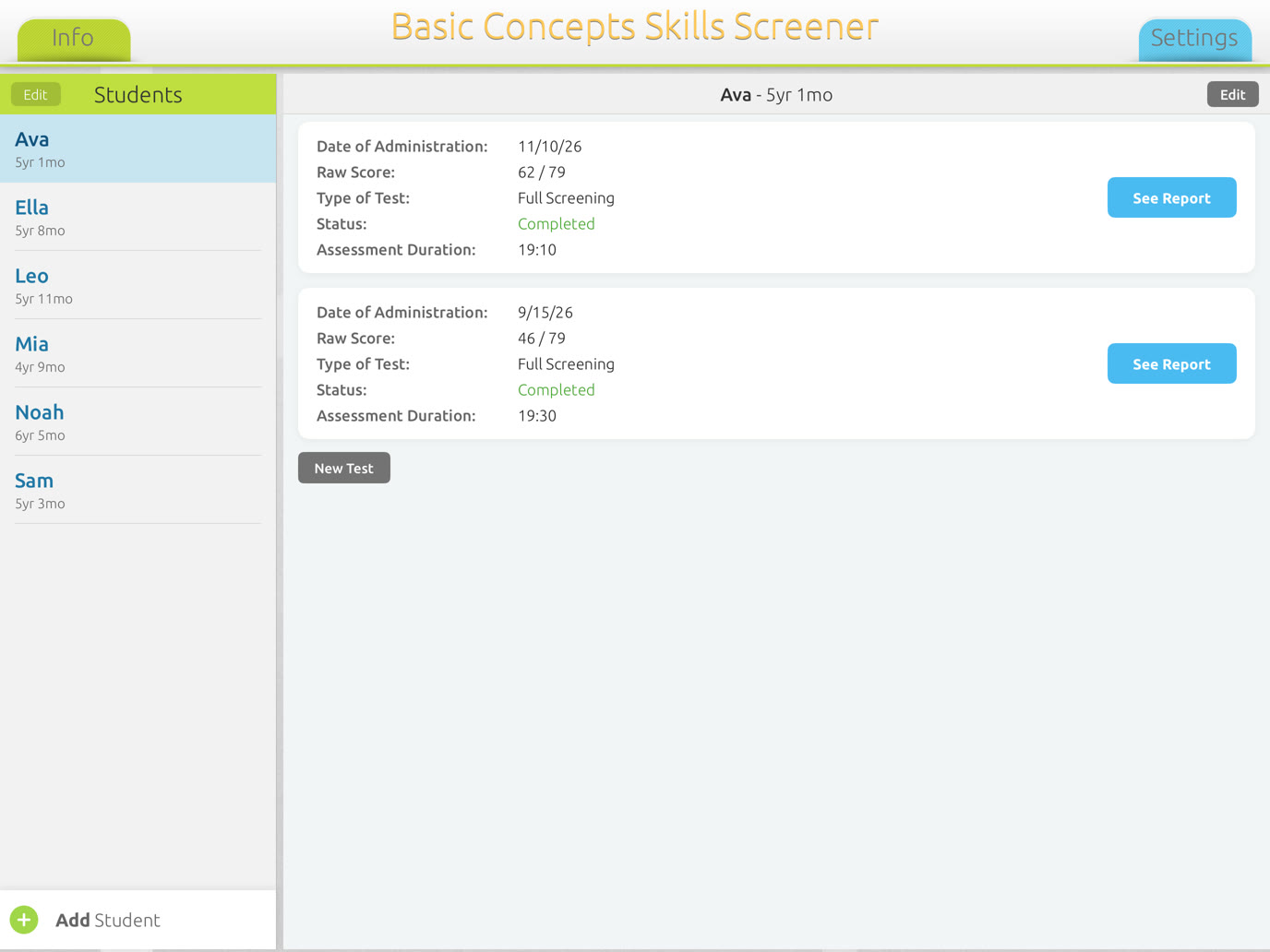
A name and a date of birth. BCSS shows the age in years and months, and keeps every screening under the student.
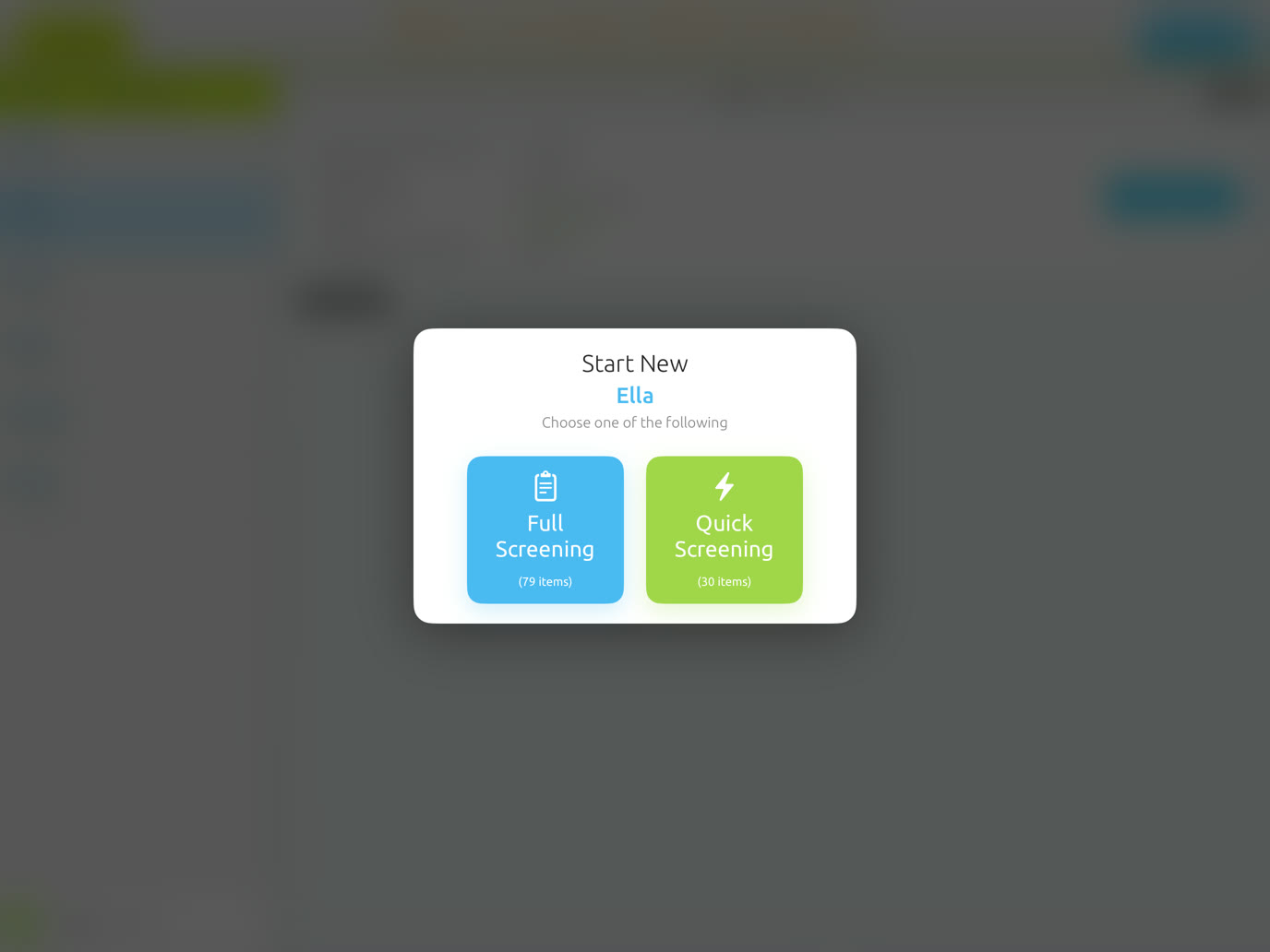
Full, with 79 items, or Quick, with 30 items across all four concept types.
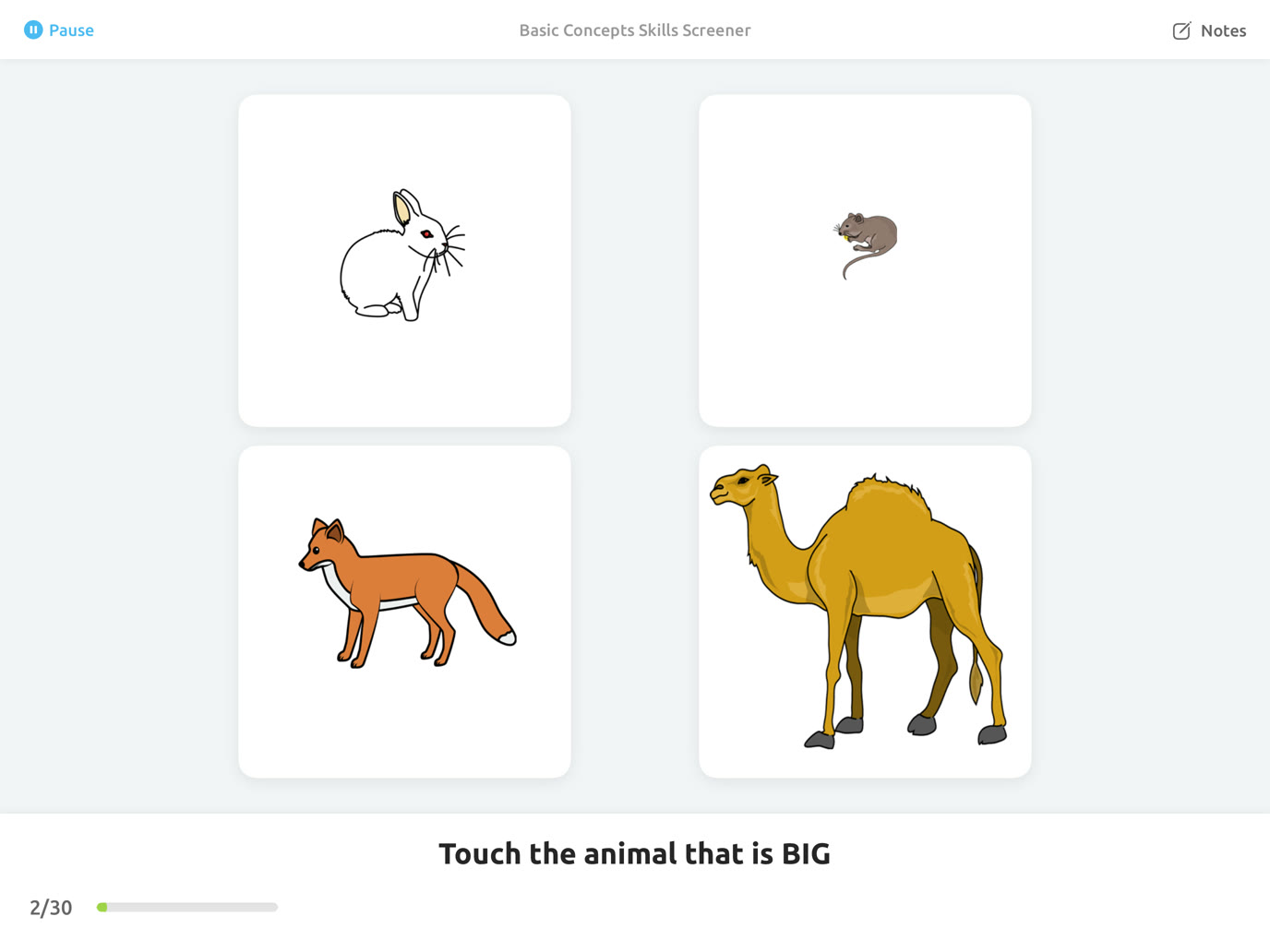
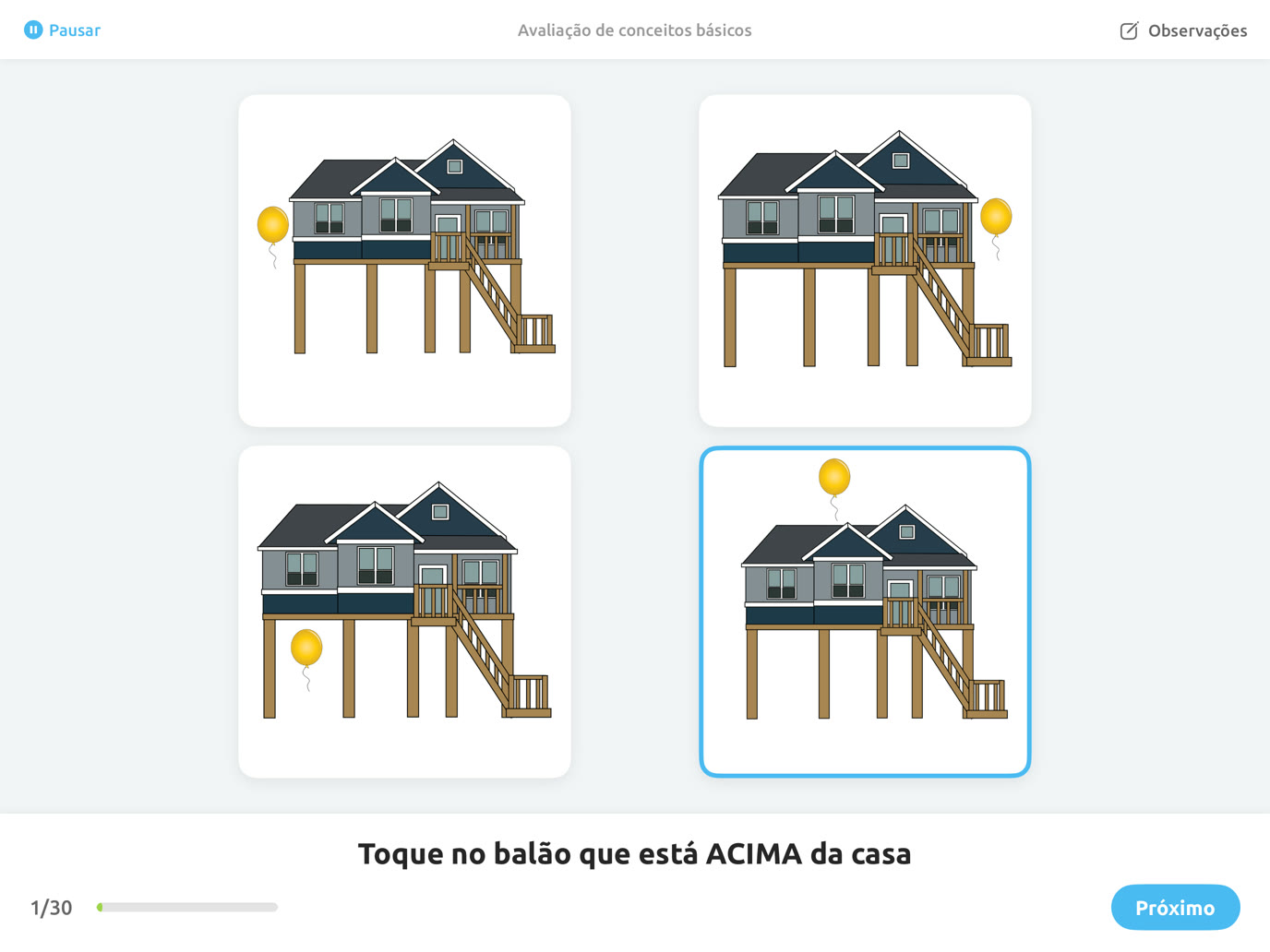
Each request is read aloud and shown on screen. The child picks one of four pictures, and you tap Next.
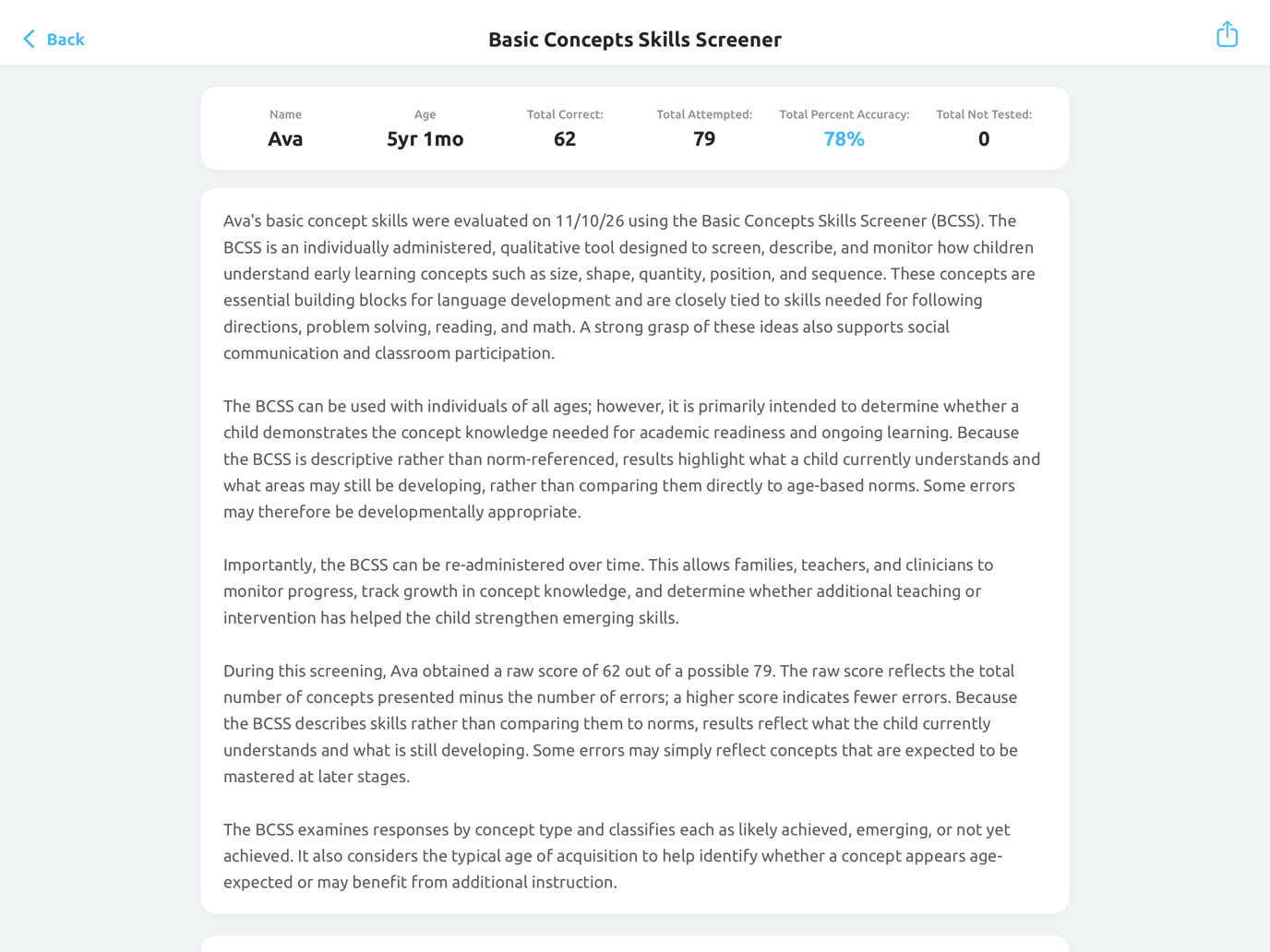
Scores, concept types, ages of acquisition, graphs and a written summary, ready the moment the last item is answered.
Use the Full Screening for a complete baseline, and the Quick Screening when time is short or to check progress.
Every concept in the app, for a complete picture of what the child knows.
A shorter set that still covers all four concept types and all four ages.
The minute the screening ends, BCSS builds a report you can hand to a parent, a teacher or an IEP team.
The report explains what the BCSS is, what the child's raw score means, and which concepts were right, wrong or not answered. The student's name, age and results are filled in automatically.
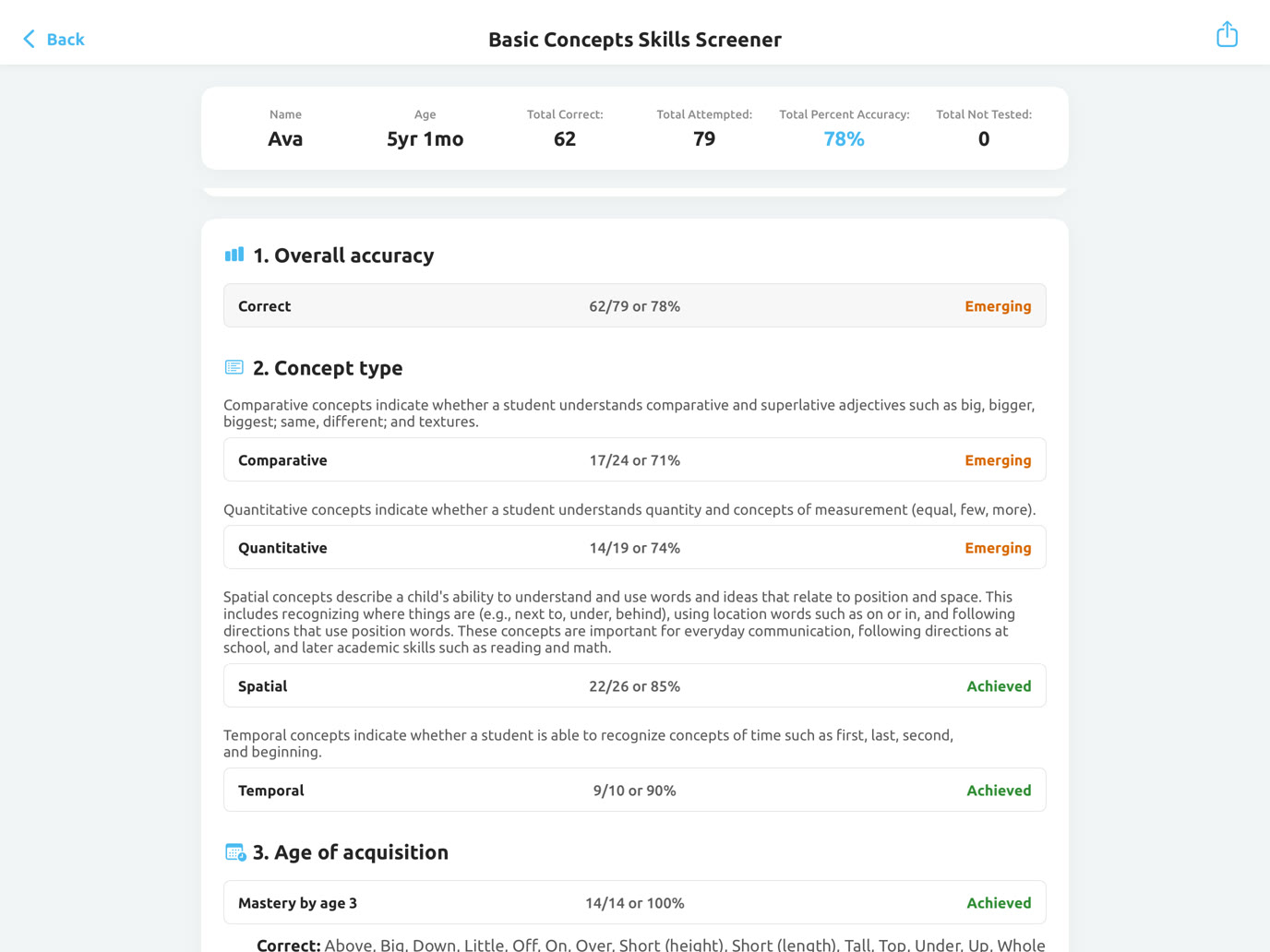
Overall accuracy and each concept type get a level, and color-coded graphs show strengths and gaps for each type and each age.
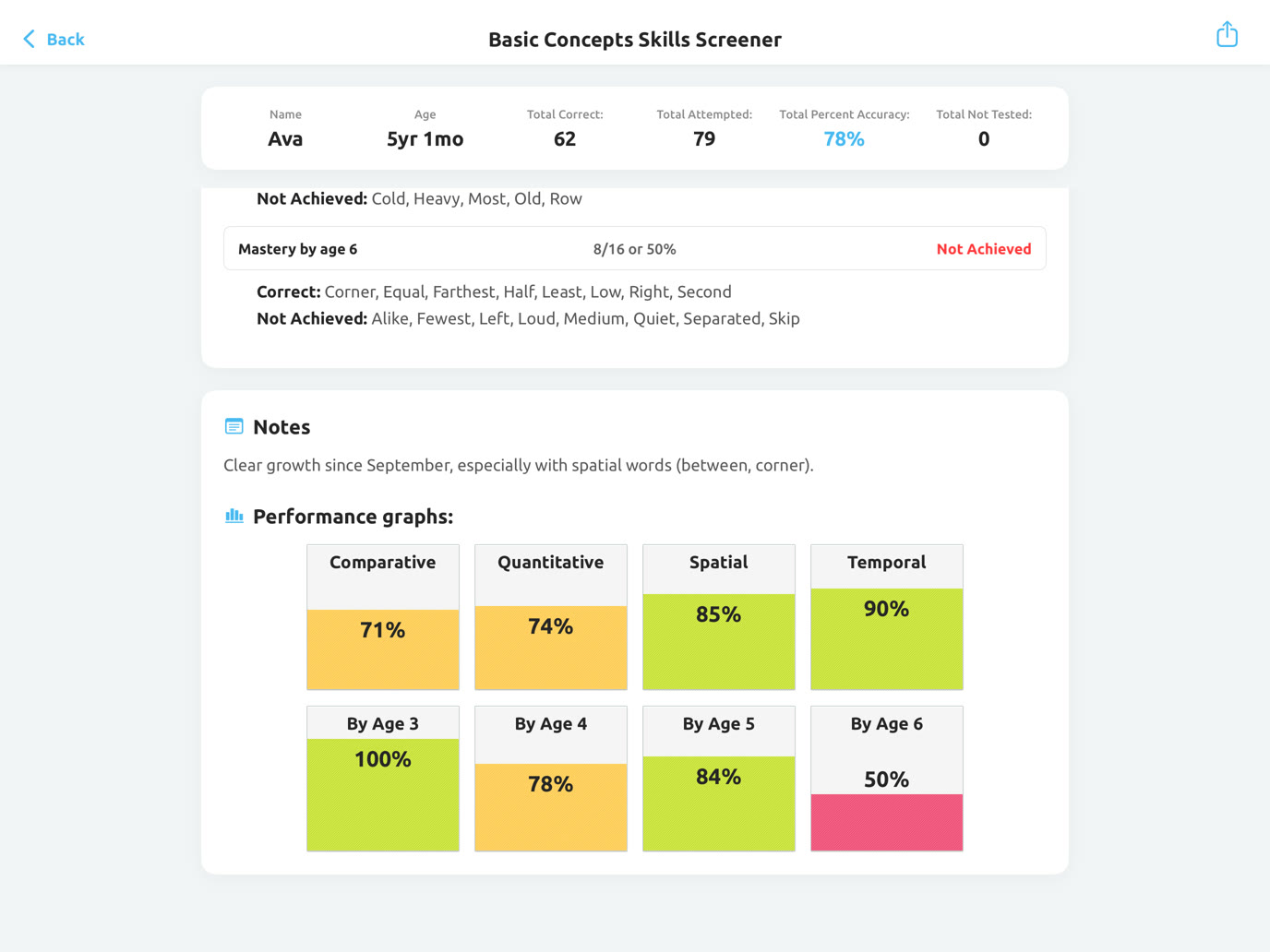
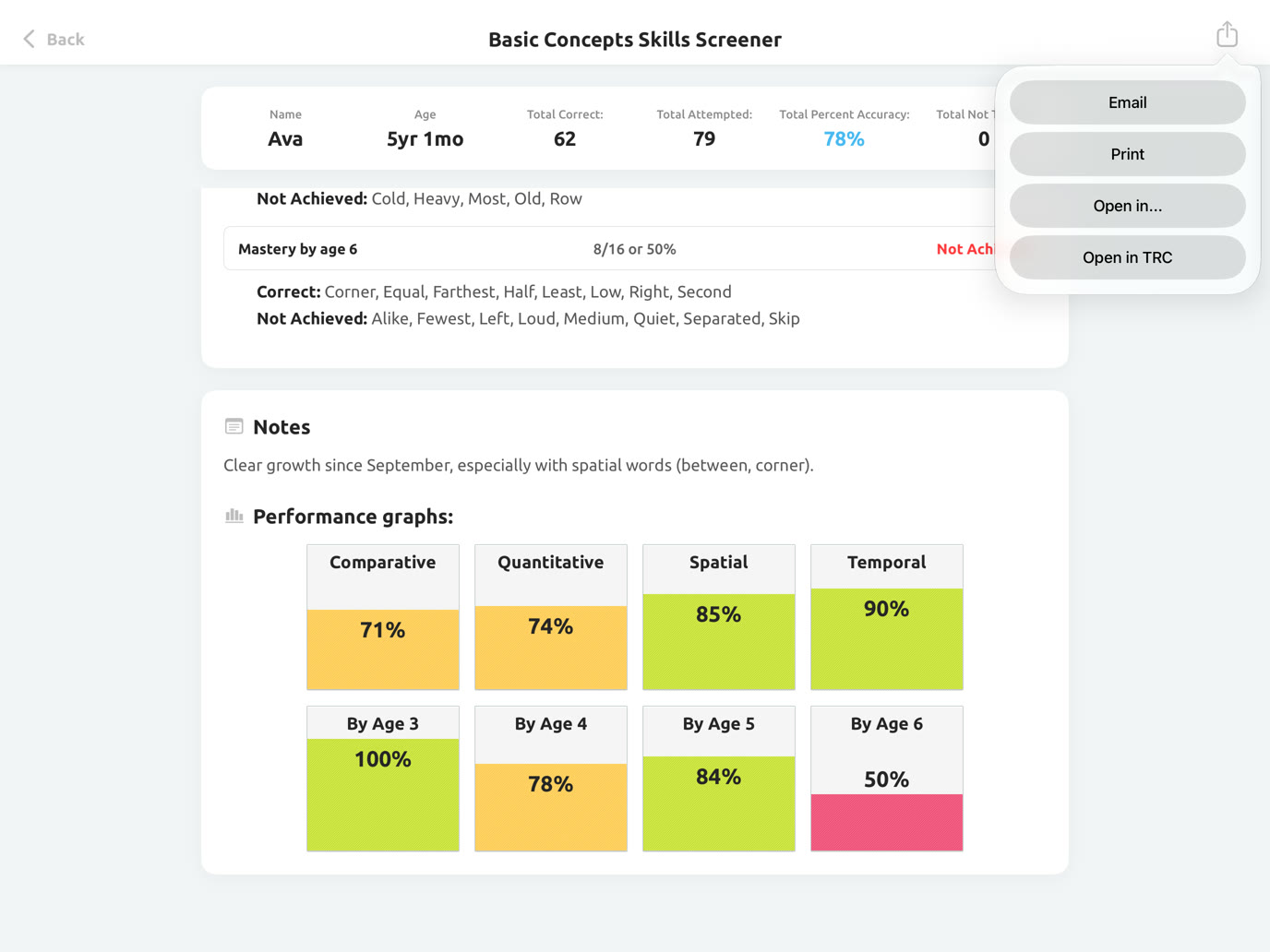
Send the report to a parent or a teacher right after the screening, print it for the file, or open it as a PDF in another app.
The small things that make a screening go smoothly with a young child.
Each request is spoken and written on the screen, so results show the child's understanding, not their reading.
The child hears the same encouraging sound after every answer, right or wrong, so the feedback never gives the answer away. You can turn it off.
Tap Pause to finish now, save your place, or keep testing. A saved screening continues at the same item.
Write what you notice during the screening. Your notes go into the report.
The child can change the answer before you tap Next, and a counter shows how many items are left.
Large, simple pictures and four choices per item, with nothing on the screen to distract.
Screen basic concepts, add to the data from a standardized test, and pick concepts to target in therapy.
See which classroom words a child doesn't know yet, before they get in the way of learning.
Choose skills to target, and measure growth by screening again over time.
Bring clear, written results to IEP meetings, and help identify children who may be at risk.
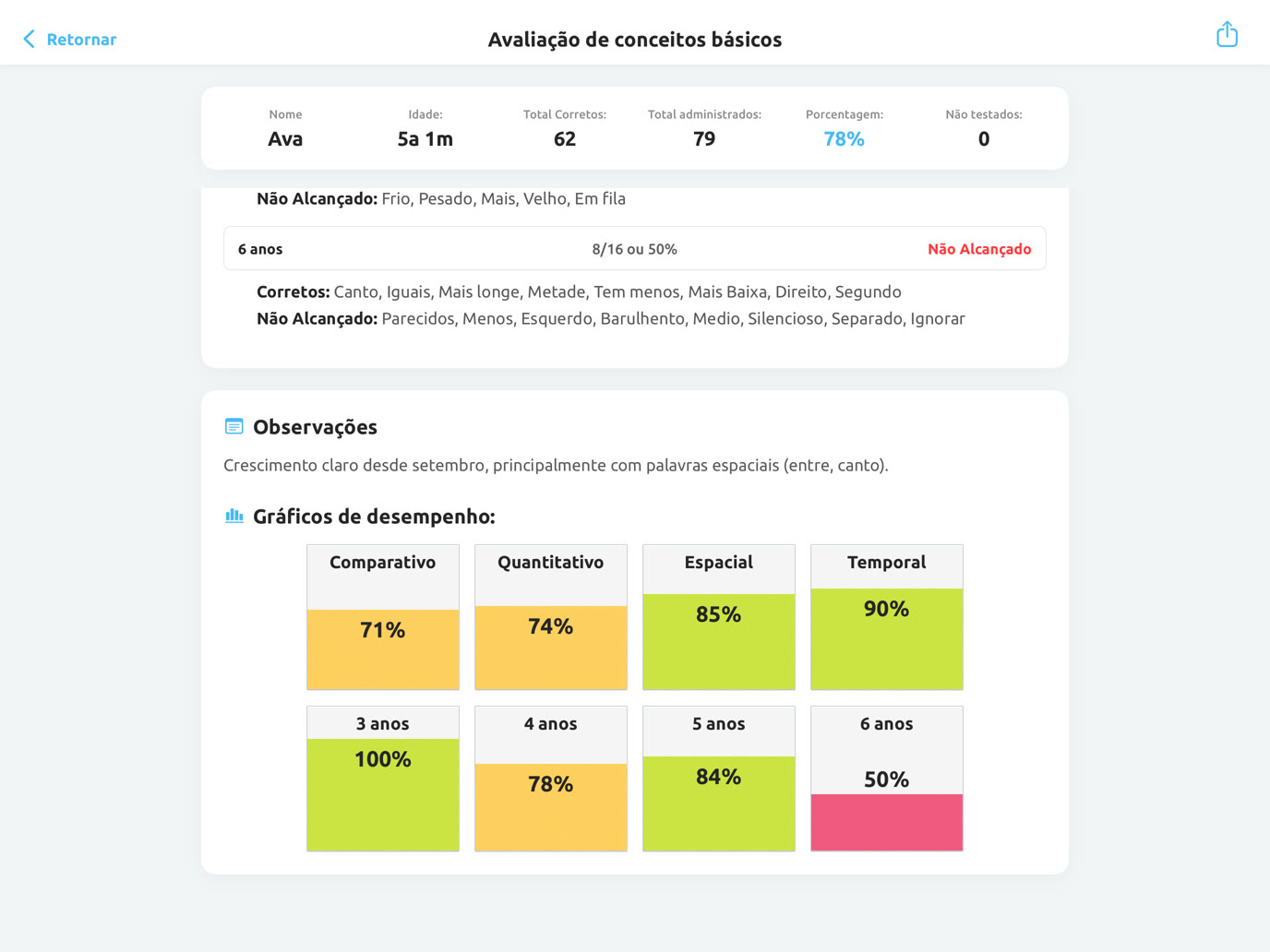
BCSS works in English and in Brazilian Portuguese: the spoken requests, the screens and the written report. Choose the language the first time you open the app, or any time in Settings.
"This app is great for a baseline screener. I love it for great monitoring tool. The images are clear and the app is intuitive. The simple design is very appropriate and the length of the assessments expected."
Jenna Rayburn"This app is a great way to identify areas where a student is struggling and get ideas goals… I love the color-coded percentage graphs in the report, which are easy to explain parents or other professionals."
WhitneyLet's Talk Blog"It's great to help in assessing pre and post therapy or interventions in basic concept skills."
Lauren LaurLet's Talk Blog"Many times, the iPad is just motivating enough to get kids to participate in baseline data collection and data collection for progress monitoring. Working in preschool, I often get students with objectives for following directions and comprehending concepts. This will be a great way for me to track progress this year!"
Jenn Alcorn"Overall, I am loving this! I think this will be a good way to establish a baseline and monitor progress for students who are working on concept goals. The app is super easy to use, I like the straightforwardness of it. No fluff, it gets right to the point."
Jean WillsSLPA 3-minute walkthrough: set up the app, add a student, give a screening, and read every part of the report.
No. The BCSS is descriptive, not norm-referenced. Instead of comparing a child to age norms, it shows which concepts the child understands and which are still developing. Use it to collect information, to add to the data from a standardized language assessment, and to measure growth over time.
The concepts are grouped by the ages at which children usually master them, from 3 to 6 years, so the BCSS fits preschool and kindergarten especially well. It can be used at any age, for example with older students working on concept goals.
About 5 minutes for the Quick Screening (30 items) and about 15 minutes for the Full Screening (79 items). You can pause at any time and continue later at the same item.
Listen and touch. Each request is read aloud, like "Touch the balloon that is above the house," and the child touches one of four pictures. No reading and no talking are needed.
The child's age on the day of the screening, the raw score and percent correct, every concept marked correct, incorrect or not answered, results by concept type and by age of acquisition with Achieved, Emerging and Not Achieved levels, color-coded graphs, your notes, and a written summary. Email it, print it, or save it as a PDF.
Yes. Every screening is saved under the student with its date, so you can compare results over time and show progress.
Yes. The requests, the screens and the report are all available in Brazilian Portuguese. Change the language any time in Settings.
No. Screenings and reports work offline. You only need a connection to email a report or watch the video tutorial.
No. BCSS is a one-time purchase of $39.99 on the App Store, with no ads, no subscription and no account to create.
BCSS is made for iPad, so the pictures are big enough for small fingers.
The BCSS was written by speech-language pathologists Darlene Nething, MS, CCC-SLP, and Mary Huston, MS, CCC-SLP, and developed by Smarty Ears.
Boehm, A. (2013). Basic concepts as building blocks to school success. Pearson Assessments.
Bracken, B. (2006). Bracken Basic Concept Scale, third edition: Receptive. Manual. San Antonio, TX: Harcourt Assessment, Inc.
Common Core State Standards Initiative. (2012). Kindergarten, Measurement and Data. http://www.corestandards.org/Math/Content/K/MD
Ellis, L., Schlaudecker, C., & Regimbal, C. (1995). Effectiveness of a collaborative consultation approach to basic concept instruction with kindergarten children. Language, Speech, and Hearing Services in Schools, 26, 69–74.
McLaughlin, S. (1998). Introduction to language development. San Diego, CA: Singular Publishing Group, Inc.
Seifert, H., & Schwarz, I. (1991). Treatment effectiveness of large group basic concept instruction with Head Start students. Language, Speech, and Hearing Services in Schools, 22, 60–64.
Stanovich, K. E. (1986). Matthew effects in reading: Some consequences of individual differences in the acquisition of literacy. Reading Research Quarterly, 21, 360–407.
Walberg, H. J., & Tsai, S. (1983). Matthew effects in education. American Educational Research Journal, 20, 359–373.
Basic Concepts Skills Screener for iPad. $39.99, one purchase, with no ads and no subscription.